1. A Quick (and Hopefully Painless) Ride Through Python (with Cartoon Foxes)
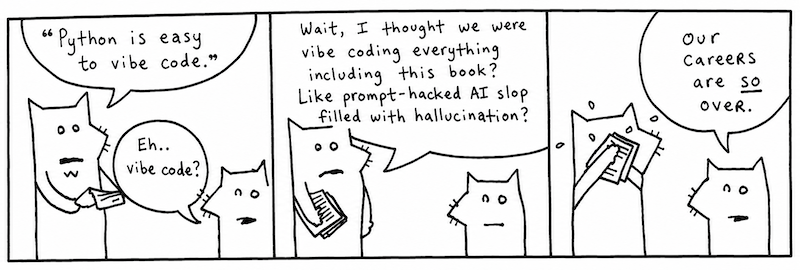
Yeah, these are the two. My asthma’s kickin’ in so I’ve got to go take a puff of medicated air just now. Be with you in a moment.
I’m told that this chapter is best accompanied by a rag. Something you can mop your face with as the sweat pours off your face.
Indeed, we’ll be racing through the whole language. Like striking every match in a box as quickly as can be done.
Language and I MEAN Language
 *
*
*Text and images were loving written and hand drawn by a human named _why and updated for Python 3.
My conscience won’t let me call Python a computer language. That would imply that the language works primarily on the computer’s terms. That the language is designed to accommodate the computer, first and foremost. That therefore, we, the coders, are foreigners, seeking citizenship in the computer’s locale. It’s the computer’s language and we are translators for the world.
But what do you call the language when your brain begins to think in that language? When you start to use the language’s own words and colloquialisms to express yourself. Say, the computer can’t do that. How can it be the computer’s language? It is ours, we speak it natively!
We can no longer truthfully call it a computer language. It is coderspeak. It is the language of our thoughts.
Read the following aloud to yourself.
In English sentences, punctuation (such as periods, exclamations, parentheses) are silent. Punctuation adds meaning to words, helps give cues as to what the author intended by a sentence. So let’s read the above as: some_list reverse!
Which is exactly what Python will do, reverse some_list.
Try this one.
Right, it reads as : print “Ho, Why Is You Here?” times five.
Which is exactly what this small Python program does. Flo Milli’s existential question will print five times on the computer screen.
Read the following aloud to yourself.
Here we’re doing a basic reality check. Our program asks if (the condition) aura is in the word restaurant then print a phrase. Again, Python reads like English: if aura is in the word restaurant, then print a phrase.
Ever seen a programming language use English so effectively? While this bit of code is stretched out into two lines so more complex than the previous examples and highlights Python's readability: using a colon and indentation to introduce a new code blocks. We’re checking a condition in the above code, so why not make that easy to read what happens when that condition is met?
Read the following aloud to yourself.
Reading out loud, we can get an idea of what the output will look like. Fully translated into English, you might read the above as: for the words ‘toast’, ‘cheese’, and ‘wine’, print the word capitalized.
The computer then courteously responds: Toast, Cheese and Wine.
At this point, you’re probably wondering how these words actually fit together. Smotchkkiss is wondering what the dots, commas, and square brackets mean. I’m going to discuss the various parts of speech next.
All you need to know thus far is that Python is basically built from sentences. They aren’t exactly English sentences. They are short collections of words and punctuation which encompass a single thought. These sentences can form books. They can form pages. They can form entire novels, when strung together. Novels that can be read by humans, but also by computers.
The Parts of Speech
Just like the white stripe (not the band) down a skunk’s back and the winding, white train of a bride, many of Python’s parts of speech have visual cues to help you identify them. Punctuation and capitalization will help your brain to see bits of code and feel intense recognition. Your mind will frequently yell Hey, I know that guy! You’ll also be able to name-drop in conversations with other Pythonists.
Try to focus on the look of each of these parts of speech. The rest of the book will detail the specifics. I give short descriptions for each part of speech, but you don’t have to understand the explanation. By the end of this chapter, you should be able to recognize every part of a Python program.
Skimming this section is Recommended.
Treat this section as a speed run to get the gist of the language. You won't be fluent after reading it, but you'll learn enough to not be scared off by an example or two. You can always come back to reference specific parts of speech later in more detail.
Variables
Any plain word can be a variable in Python. Variables may consist of letters, digits and underscores.
x, y, banana2, Rabbit, or phone_a_quail are examples.
Variables are like nicknames. Remember when everyone used to call you Ham Bone Baby? People would say, “Get over here, Ham Baby!” And everyone miraculously knew that Ham Baby was you.
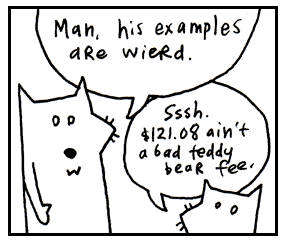
With variables, you give a nickname to something you use frequently. For instance, let’s say you run an orphanage. It’s a mean orphanage. And whenever Daddy Warbucks comes to buy more kids, we insist that he pay us one-hundred twenty-one dollars and eight cents for the kid’s teddy bear, which the kid has become attached to over in the darker moments of living in such nightmarish custody.
By convention, ordinary variables and functions use lowercase names with underscores between their words: favorite_dragon, pizza_count, feed_rabbit, or teddy_bear_fee.
Later, when you ring him up at the cash register (a really souped-up cash register which runs Python!), you’ll need to add together all his charges into a total.
Those variable nicknames sure help. And in the seedy underground of child sales, any help is appreciated I’m sure.
Numbers
The most basic type of number is an integer, a series of digits which can start with a plus or minus sign.
1, 23, and -10000 are examples.
Commas are not allowed in numbers, but underscores are. So if you feel the need to mark your thousands so the numbers are more readable, use an underscore.
Python reads this exactly as 12000000000.
Decimal numbers are called floats in Python. Floats represent real numbers using a decimal place or scientific notation.
3.14, -808.08 and 12.043e-04 are examples.
Strings
Strings are any sort of characters (letters, digits, punctuation) surrounded by quotes. Both single and double quotes are used to create strings.
"sealab", '2021', or "These cartoons are hilarious!" are examples.
When you enclose characters in quotes, they are stored together as a single
string. (Note that single 'psychosomatic' or double quotes "psychosomatic" are both fine to use.)
Think of a reporter who is jotting down the mouth noises of a rambling celebrity. "I have been to certain concerts and certain festivals where people wear diapers so that they can be front row of the show," says Olivia Rodrigo, "and that's been an experience as a performer that I have smelled."
olivia_diaper_quote = "I have been to certain concerts and certain festivals where \
people wear diapers so that they can be front row of the show, and that's been an \
experience as a performer that I have smelled."
So, just as we stored a number in the teddy_bear_fee variable (technically we don't store anything, we just bind a nickname to an object), now we’re nicknaming a collection of characters (a string) with the olivia_diaper_quote variable. The reporter sends this quote to the printers, who just happen to use Python to operate their printing press.
Python offers a nifty way to include variables with your strings using an f-string. To do this, put the letter f right before your opening quotation mark. Then, place your variable names inside curly brackets {} anywhere inside the text.
-
print(f'I am {your_mood} of hearing about Strings.') -
print(f"Your teddy bear fee is ${teddy_bear_fee} and does not includes gratuity.") -
print(f"Taylor said '{taylor_swift_quote}.'") -
print(f"While Olivia countered with '{olivia_diaper_quote}'.")
Note we can include single quotes inside of double quotes with no problems.
Functions
If variables are the nouns, then functions are the verbs. To a non-programmer, a function appears like magic. You call it and something magically falls out.
But functions are not magical but more like a magician's rabbit.They hop around and give you something you need. Seeing inside the function, is like peeking into the magician's hat where he keeps all his secrets and props.
In Python, we use the def keyword to define a new function and indentation to group a function. Think of the def keyword as the lip of the magic hat (flipped upside down so you can see into the opening) and the indented code as the hat's contents.
The Magician's Hat:
Here, first line def hop_for_carrots(): is the brim of the hat. The indented function code that follows is the mysterious contents within the hat that only the magician can see.
def hop_for_carrots():
    hopping = True
    print("hopping around")
    return "carrots"

hop_for_carrots()
print("eat your carrots")
The indented function code hopping = True, print("hopping around"), and return "carrots" are all inside the magician's hat. The following lines hop_for_carrots() and print("eat your carrots") without indentation are outside the magician's hat and back in the main script.
Just like a magician's tricks, the little names created inside a function are rather impermanent in nature. When the function ends, the rabbit runs back into the hat, and those local names like hopping for the most part vanish with it.
There are also built-in functions like print() for printing and len() for getting length.
Since they are so common, they are automatically defined for you and always available. No need to use def.
Function Arguments
A function may require more information in order to perform its action. If we want the magic rabbit to get carrots, we should provide a number of carrots and how we want it to get them, as well.
Arguments are attached to the end of a function. The arguments are usually surrounded by parentheses and separated by commas.
hop_for_carrots( 3 , "very fast")
The above asks for 3 carrots and demands them very fast.
The corresponding function would be defined like so: def hop_for_carrots(num,speed): with parameters num and speed that capture the arguments passed in.
Think of the arguments as an inner tube the method is pulling along, containing its extra instructions. The parentheses form the wet, round edges of the inner tube. The commas are the feet of each argument, sticking over the edge. The last argument has its feet tucked under so they don’t show.
Classes
Classes are the blueprints we use to to create objects. By style convention, classes created by users are capitalized in Python.
We can think of a class as a factory that has become expert in churning out objects.
- Class = the factor or blueprint e.g. Door
- object = the thing made e.g. front_door
You can call the class name like a function when you want to create a new object (an instance):
In this case, the Door 'factory' cranks out a new door object.
Python has to have an understanding of how to make a door that we can define in our class definition (not to mention a wealth of timber, lumberjacks, and those long, wiggly, two-man saws working behind the scenes in the factory).
Methods
Methods look just like functions. In fact, they are functions that belong to an object. So much like functions, they act as the verbs of an object or class! We'e already seen methods at work: someList.reverse(). You access an object's attributes and methods using dot notation.
Here, open is the method. It is the action, the verb.
In some cases, you’ll see actions chained together. We’ve instructed the computer to open the front door and then immediately close it.
Here open is an action as well. We’re instructing the computer to test the door to see if it’s open.
Since a method is just a special type of function, they may require more information in order to perform its action. If we want the computer to paint the door, we should provide a color as well. Method arguments get attached to the end of a method with parentheses. These arguments provide more information for an object in order to perform its method action.
The above paints the front door 3 coats of red.
Like a boat pulling many inner tubes, function with arguments can be chained.
The above asks to paint the front door with 3 coats of red, allow it to dry for 30 seconds, and then close the door.
This is called method chaining. Here's another example:
HELLO, WORLD!
With method chaining, each method does its work and returns an object, and the next method is called on that object. We can tell strip and upper are methods because the () that follow them. Chained together they first strip the text of surrounding white space and then make the text upper case.
Special methods for setting up a new object
When we called Door('oak') in the previous example, we told Python to instantly build a new, specific door based on that blueprint. To do so, Python creates a Door object and then calls in the setup crew __init__.
Instance variables
Variables stored inside objects are called instance attributes (or instance variables). They belong to a particular object.
You can think of objects as little houses that you can walk into, each with its own furniture, decorations, and peculiar inhabitants.
Python's preference for instance attributes is quite sensible. In one house, you might have a dad who represents Archie, a traveling salesman and skeleton collector. In another house, dad could represent Peter, a lion tamer with a great love for flannel. The name dad exists in both houses, but it refers to a different person in each one.
Suppose we wander into an abandoned house at the end of Maple Street and discover a ghost dad rattling chains in the attic. We certainly don't want to confuse ghost dad with Archie or Peter. We want ghost dad to haunt only that spooky abandoned house.
Inside a method, we use self and a dot to access attributes belonging to the current object, such as self.dad. Outside the class, we use a variable that refers to the object, such as spooky_house.dad.
In both cases, the dot helps us enter the correct house and look up the correct attribute.
Ghost dad
Billy the dad
Each house keeps track of its own dad, so they won't get mixed up.
Objects in Python are self-contained. Each object stores its own attributes and values. For house objects, we might find attributes such as dad, garage, mailbox, or pet_cat. Billy's house might have a pink flamingo mailbox, while Ghost Dad's house collect mail with a glowing pumpkin.
Properties (@property)
When Python talks about properties, it doesn't mean the red plastic hotels you hoard in Monopoly to collect rent while your friends weep into empty teacups. In Python, a property is a special method wrapper that lets you access code like you would a simple variable (without using parentheses).
You may think of property as a trench coat wearing detective like "Inspector Gadget" that can perform covert actions but remains disguised. Behind the scenes a property's methods can do many important things such as controlling access to an instance variable, type checking, enforcing strict input validation, dynamically calculate values, among other things
Whatever you can fit in that trench coat works!
Without getting into too many details (that comes later in the book), here's an example property from my neighbor Gerald's store, Door World that prevents negative pocket_doors:
class Door:
    def __init__(self):
        self._pocket_doors = 0

    @property
    def pocket_doors(self):
        return self._pocket_doors

    @pocket_doors.setter
    def pocket_doors(self, value):
        if value >= 0:
            self._pocket_doors = value
        else:
            print("Hey! Get out of here raccoons!")
Now when we try to set a negative value:
Hey! Get out of here raccoons!
Negative doors do not exist (at least, not yet -- note to self: new business idea)! So, the assignment gets rejected by our property.
"Thank you so much!" Gerald tells me. "Criminals are like raccoons, you give them a taste of a pocket door, and soon they are back for the entire sliding doors."
Half instance variable / half method, our property comes to rescue and stops criminals and nosy raccoons from setting negative doors. Our stealthy property does this by concealing an entire setter method that checks for negative values inside its trench coat!
Lists
Lists are surrounded by square brackets and separated by commas.
[0, 1, 2, 3]is a list of numbers.['coat', 'mittens', 'snowboard']is a list of strings.
Think of it as a caterpillar which has been stapled into your code. The two square brackets are staples which keep the caterpillar from moving, so you can keep track of which end is the head and which is the tail. The commas are the caterpillar’s legs, wiggling between each section of its body.
Once there was a caterpillar who had commas for legs. Which meant he had to allow a literary pause after each step. The other caterpillars really respected him for it and he came to have quite a commanding presence. Oh, and talk about a philanthropist! He was notorious for giving fresh leaves to those less-fortunate.
Yes, a list is a collection of things, but it also keeps those things in a specific order.
We can also include different data types in a list and nest lists.
[12, [11, 10], [9]]a nested list.[42, "Hello World", True, [1, 2, 3]]a single Python list containing four different data types.
For loops
Give Python a bunch of things, and a for loop will march through them, handing each item to you as it goes.
"Python starts with "eggroll", puts it into snack, and runs the indented code. Then it moves to "cookie" and does it again. Then "banana". And finally "chunky bacon". One snack at a time. March, march, march," I say.
Blix stares into his empty bowl with relish, as if the snacks had already appeared there.
“I like Python. Good snake. Now, get me a banana.”
List comprehensions
Square brackets are not just for lists. They can also be used for list comprehension, a way to build lists. List comprehension lets us build and modify lists within a single line of code, like a tiny factory hidden inside a pair of square brackets!
Inside the tiny factory, a conveyor belt carries a steady stream of objects past a busy worker. The worker doesn't stop to admire each item or ask where they came from. No! The worker simply grabs each item, performs a small operation, and tosses it into a growing pile.
This list comprehension squares = [n * n for n in range(1,10)] asks Python to make a list of squares from 1^2 up to 9^2.
It reads like so (reading from right to left): "for each number in a range from 1 to 10 (not including 10), square the number (times a number by itself) and add it to our new list."
Starting to see the power of the tiny factory built inside square brackets?
List comprehension aren't just a poor man's for loop. The list comprehension version is concise, easy to read, and also is often a bit quicker than a for loop. List comprehension become even more powerful when we add a filters and conditional expressions.
Generator expressions: Lazy Version of List Comprehension
Generator expressions are a lazy version of list comprehensions. They aren't evaluated until we ask for the result. We use parens instead of square brackets to create generator expressions.
So next says to our lazy generator "Wake up you lazy bum and make with the next bit of data"
Tuples and parentheses
In Python, code is surrounded by parentheses for multiple reasons.
One of the main uses is to create tuples, a built-in data collection. Tuples are very similar to a list, but with one key differences: tuples are immutable (unchangeable) and kind of like a locked list.
Tuple: my_tuple = (1, 2, 3)
Beside tuples, we have seen parentheses (parens) before when defining a function and passing arguments in a function call. Parens are also used in Python for grouping math, expressions, and code.
Here is a summary of the most common ways Python uses parens:
- Tuple:
my_tuple = (1, 2, 3) - Defining:
def greet(name, times): - Calling:
greet("Alice", 2) - Grouping Math:
(3 + 4) * 10 - Multi-line code:
- Clean multi-line strings (PEP 8 preferred style):
I used chunky bacon in an example, but never again!!!
So when you see, parens think of a glittery multi-function see through Trapper Keeper, gather things and telling Python, "These, they belong together!”
Lambda functions
Lambda functions can be considered a bit advanced, but despite your funny looking ID, we'll let you into the lambda club early.
Let's just say lambda is a alternative way to define functions when you don't plan to reuse it:
add = lambda a, b: a + bmultiply = lambda x, y: x * y
And then use it like this: add(3,4), multiply(1,2).
Lambda functions can be a little tricky to get the hang of, so if you didn't get everything, don't worry. We'll go over them in much more detail in Chapter 4.
Ranges
When you go out to the range in Python, nothing gets shot. A range, instead, is a a built-in class to form a sequence of numbers.
range(5)is a range, representing 5 numbers:0,1,2,3,4.
We can think of a Python range as one of those long measuring tapes that snaps back into the case. Stretch it out, and you see every mark along its length. Let go, and it collapses into a compact package.
So how does our tape measure look?
|0=1=2=3=4=|tape measure|
That is, range(5) asks Python to pull out the tape measure to the stop point, 5. The stop point is not part of the measured length and just marks "stop, that's far enough!"
Why Zero?
Did you notice that when we call range(x), the sequence starts
from zero and stops just before x? Didn't we all learn to count starting from one to ten in kindergarten?
Python programmers are more efficient than kindergartners. Ancient programmers looked up the empty night sky and said "There in the void of nothingness is the key to happiness. When I count, I'll be sure to include zero." Since then, we all count from zero (We'll get into the real reasons later in the book such as indexing and memory, but until then, trust me that it's better this way).
We can also give range a start as well as with the stop value. For example, range(start, stop). Then range the spits back just the the numbers from start to stop, not including stop.
[25, 26, 27, 28]
Python range objects are immutable, memory-efficient sequence objects. To the get the values, we have to explicitly ask for them using list function. Think of a range as a retractable tape measure. It knows where it starts, where it ends, and how to move between the markings, but it doesn't unroll the entire tape unless you ask.
Oh, and by the way, ranges can also count backwards range(10, 0, -1), count evens only
range(0, 10, 2), and even skip around bytes of data range(0,len(data),8) by adding third argument step. Why on earth would you want skip around like that? Ask Suzie who just performed a Jeté over the danger zone for her teams win in Himmel und Hölle.
After skipping, you may think it to be a good time for a nap.
BUT WAIT THERE'S MORE!
Dictionaries
A dictionary in Python is surrounded by curly braces. Dictionaries match words with their definitions (or in Python speak, keys with values). Python does so with curly braces and colons.
{'a' : 'aardvark', 'b' : 'badger'} is an example.
The curly braces represent little book symbols. See how they look like little, open books with creases down the middle? They represent opening and closing our dictionary.
Imagine our dictionary has a definition on each of its pages. The commas represent the corner of each page, which we turn to see the next definition. And on each page: a word followed by an arrow pointing to the definition.
In the example above, I stored personal information for Peter, the lion tamer with a great love for flannel. Dictionaries are useful because they are very easy to search through.
print(f"{person['name']} is a {person['profession']} and loves {person['great love']}.")
Now try to create your own person dictionary. It could be James, the computer programmer who loves cats, or Oscar, the grouch, who loves trash. Your imaginations is the limit!
Regular Expressions
Regular expressions (or regexes) are used to find words or patterns in text.
Imagine if you had a little magnifying glass and held it over a book. You move the glass across the pages, and when it passes over a matching word, it starts blinking. You hold the regular expression over the book, right above the match, and it glows with the letters of the matching word.
Oh, and when you shine the glass over the right spot, the paper sneezes, reg-ex match!
r"^\S+@\S+\.\S+$", "[0-9]+" and r"^\d{3}-\d{3}-\d{4}" are examples of regex patterns.
An r before the string tells Python to treat it as a raw string, useful when writing regex (raw strings treats backslashes \ as literal characters for our matching syntax and don't get converted to special characters like tabs and new lines).
The cool thing is that regex are a timeless skill used across most programming languages. Regardless of the language, the basic building blocks of regex are virtually identical (with some tweaks in syntax and semantics).
Plus, regex are much faster than passing your hand over pages of a book. Instead, using a regular expression we can search volumes of books very quickly.
Want to see Regex in action?
A quick example, let's try to use a regex pattern to match a US phone number. We first need to know the expression for a digit which is \d and stands for a single decimal digit between 0 and 9. We can use the regex string r"\d\d\d-\d\d\d-\d\d\d\d" to match a US phone number!
Now, let's shorten that to r"^\d{3}-\d{3}-\d{4}". This can be read as "three digits, a hyphen, three more digits, another hyphen, and four digits".
To put this pattern to use, we first need to import the regexes package with import re and then can use it like so:
import re
phone_number = "123-456-7890"
pattern = r"^\d{3}-\d{3}-\d{4}"
match = re.match(pattern, phone_number)
print(match)
What about handling (212)...?
The above regex works pretty well but does not match a US phone number written with parentheses or without dashes. A more complete regex to match phone numbers would be: r"^\(?\d{3}\)?[-\s]?\d{3}[-\s]?\d{4}$" which matches all kinds of formats of US phone numbers (123) 456-7890, 123-456-7890, and 1234567890 but not 123-4567-890 (wrong hyphen placement).
Our new, more powerful pattern becomes:
pattern = r"^\(?\d{3}\)?[-\s]?\d{3}[-\s]?\d{4}$"
We'll go over regexes more later on in the book (or will we, read Chapter 6 to find out!).
Operators
You’ll use the following list of operators to do math in Python or to compare
things. Scan over the list, recognize a few. You know, addition + and
subtraction - and so on. Here are the most common ones:
**  ~  *  /  //  %  +  -  &
<<  >>  |  ^  >  >=  <  <=
!=  ==  is
in
not  and  or
+=  -=
Python Operators Quick Reference
Arithmetic Operators Used to perform common mathematical operations.
| Operator | Name | Description | Example |
|---|---|---|---|
+ |
Addition | Adds two values together | x + y |
- |
Subtraction | Subtracts the right value from the left value | x - y |
* |
Multiplication | Multiplies two values | x * y |
/ |
Division | Divides the left value by the right value (always returns a float) | x / y |
% |
Modulus | Returns the division remainder | x % y |
** |
Exponentiation | Raises the left value to the power of the right value | x ** y |
// |
Floor Division | Divides values and rounds down to the nearest whole number | x // y |
Assignment Operators Used to assign values to variables, often combining assignment with an arithmetic operation.
| Operator | Example | Equivalent To |
|---|---|---|
= |
x = 5 |
x = 5 |
+= |
x += 3 |
x = x + 3 |
-= |
x -= 3 |
x = x - 3 |
*= |
x *= 3 |
x = x * 3 |
/= |
x /= 3 |
x = x / 3 |
%= |
x %= 3 |
x = x % 3 |
//= |
x //= 3 |
x = x // 3 |
**= |
x **= 3 |
x = x ** 3 |
Comparison Operators
Used to compare two values. They always evaluate to either True or False.
| Operator | Name | Description | Example |
|---|---|---|---|
== |
Equal | Returns True if both values are equal |
x == y |
!= |
Not equal | Returns True if values are not equal |
x != y |
> |
Greater than | Returns True if the left value is greater than the right |
x > y |
< |
Less than | Returns True if the left value is less than the right |
x < y |
>= |
Greater than or equal to | Returns True if the left value is greater or equal |
x >= y |
<= |
Less than or equal to | Returns True if the left value is less or equal |
x <= y |
Logical Operators Used to combine conditional statements.
| Operator | Description | Example |
|---|---|---|
and |
Returns True if both statements are true |
x < 5 and x < 10 |
or |
Returns True if at least one of the statements is true |
x < 5 or x < 4 |
not |
Reverse the result, returns False if the result is true |
not(x < 5 and x < 10) |
Identity & Membership Operators Used to compare objects or test if a sequence is present.
| Operator | Type | Description | Example |
|---|---|---|---|
is |
Identity | Returns True if both variables point to the same object |
x is y |
is not |
Identity | Returns True if both variables do not point to the same object |
x is not y |
in |
Membership | Returns True if a sequence with the specified value is present |
x in y |
not in |
Membership | Returns True if a sequence with the specified value is not present |
x not in y |
Bitwise & Set Operators These operators perform bit-by-bit calculations on integers as well as set operations.
| Operator | Name | Bitwise Action (Integers) | Set Action (Sets) | Example |
|---|---|---|---|---|
& |
AND / Intersection | 1 only if both bits are 1 | Returns elements common to both sets | x & y |
| |
OR / Union | 1 if any of two bits is 1 | Returns all unique elements from both sets | x | y |
^ |
XOR / Symmetric Difference | The inverse of | |
Returns elements in either set, but not both | x ^ y |
- |
Difference | n/a (Subtraction for numbers) | Returns elements in the left set but not the right | x - y |
~ |
NOT | Inverts all the bits | n/a | ~x |
<< |
Zero fill left shift | Shift left by pushing zeros from the right | n/a | x << 2 |
>> |
Signed right shift | Shift right by pushing copies of the leftmost bit | n/a | x >> 2 |
Keywords
Python has a number of built-in words, imbued with meaning. These words cannot be used as variables or changed to suit your purposes. Some of these we’ve already discussed. They are in the safe house, my friend. You touch these and you’ll be served an official syntax error.
False   None    True    and     as      assert  async   await
break   class   continue def     del     elif    else   except
finally for     from    global  if      import  in     is
lambda  nonlocal not    or      pass    raise   return try
while   with    yield  match    case
Good enough. These are the illustrious members of the Python language. We’ll be having quite the junket for the next three chapters, gluing these parts together into sly bits of (poignant) code.
(One tiny exception: match and case are "soft" keywords meaning the can be used as variables to ensure backwards compatibility of old code, but it's definitely better to think of them as off limits when writing new code.)
I’d recommend skimming all of the parts of speech once again. Give yourself a broad view of them. I’ll be testing your metal in the next section.
If I Haven't Treated You Like a Child Enough Already
I’m proud of you. Anyone will tell you how much I brag about you. How I go on and on about this great anonymous person out there who scrolls and reads and reads scrolls. “These kids,” I tell them. “Man, these kids got heart. I never…” And I can’t even finish a sentence because I’m absolutely blubbering.
My heart glows bright red under my filmy, translucent skin and they have to administer 10cc of JavaScript to get me to come back. (I respond well to toxins in the blood.) Man, that stuff will kick the peaches right out your gills!
So, yes. You’ve kept up nicely. But now I must begin to be a brutal schoolmaster. I need to start seeing good marks from you. So far, you’ve done nothing but move your eyes around a lot. Okay, sure, you did some exceptional reading aloud earlier. Now we need some comprehension skills here, Smotchkkiss.
Say aloud each of the parts of speech used below.
You might want to even cover this paragraph up while you read, because your eyes
might want to sneak to the answer. We have the built-in function print, then
parentheses followed by a string "You Still Here, Ho? multiplied by 5.
Say aloud each of the parts of speech used below.
If you were paying attention during the big list of keywords, you’ll know that if
is a keyword and in is an operator. We ask if the string "aura" is in
the string "restaurant".
Say aloud each of the parts of speech used below.
This caterpillar partakes of finer delicacies. An list starts this example.
In the list, three strings 'toast', 'cheese', and 'wine'. The whole
list is put through a for loop.
Inside of a loop, word, travels down its little
waterslide and the method capitalize then capitalizes the first
letter of each word, which has become variable word. This
capitalized string is passed to built-in method print so we can
see it on the screen.
Or if we were in a hurry, we could write it all in one line as such:
In the one-line example, we simply replace the for loop for a list comprehension. The output is nearly the same, except the list comprehension creates a brand new list and we print the entire capitalized list on one line, instead of 3. While it's a quick trick, list comprehensions can reduce readability of the code so are generally only used for simple tasks.
Look over these examples once again. Be sure you recognize the parts of speech used. They each have a distinct look, don’t they? Take a deep breath, press firmly on your temples. Now, let’s dissect a cow’s eye worth of code.
An Example to Help You Grow Up
Say aloud each of the parts of speech used below.
from urllib import request

response = request.urlopen("https://www.python.org/about/legal/")
print(response.read().decode("utf-8"))
The first line is an import statement. We have told Python to load the request module from urllib, part of Python's standard library, so we can retrieve web pages from the Internet.
There is no package to install. urllib comes with Python.
The next two lines go together. request.urlopen(...) sends an HTTP request and returns an HTTP response object, which we store in response.
Accessing .read() reads the response body. It gives us the page as bytes, so we then use .decode("utf-8") to turn those bytes into a Python string.
Doing okay? Just out of curiosity, can you guess what this example does? Hopefully, you’re seeing some patterns in Python. If not, just shake your head vigorously while you’ve got these examples in your mind. The code should break apart into manageable pieces.
You see it inside the block:
We're using Python to get a web page. You've probably entered a URL with your web browser. A URL, or Uniform Resource Locator, is the address of a resource on the Internet.
The request.urlopen() function sends an HTTP request to a web server and asks for a resource. Conceptualize a bus driver who can drive across the Internet and bring back web pages for us. On his hat are stitched the words HTTP, the protocol we're using to ask the driver for the page.
The variable response is holding the package the driver brought back.
Now notice the dot:
The dot lets us access an attribute of the response object. Here, read is a method. The parentheses mean, please perform this action now.
Did you catch this pattern in the last line:
_variable_ . _function_ ( _function arguments_ )
We have seen this pattern appears several times in this chapter. See how the basic dot-method pattern happens in a chain. The next chapter will explore all these sorts of patterns in Python. It’ll be good fun.
So response.read() asks the response object to give us the body of the response. What comes back is a sequence of bytes rather than a Python string.
That's why we immediately follow it with:
The decode() method converts those bytes into a string using UTF-8, the character encoding used by the web page.
The whole journey looks like this:
response = request.urlopen("https://www.python.org/about/legal/")
print(response.read().decode("utf-8"))
First we ask the bus driver to fetch the page. Then we reach into the returned response object and ask for its contents with .read(). Finally, we decode those bytes into text and print the string.
So, what does the entire code do? The code downloads the HTML of the Python legal page and prints it to your terminal screen.
Specifically, the first line imports the tool needed to make the request. The second sends an HTTP request to the Python website and stores the response. And the final line reads the webpage's HTML, decodes it into a string, and prints it.
And So, The Quick Trip Came To An Eased, Cushioned Halt
So now we have a problem. I get the feeling that you are enjoying this way too much. And you haven’t even hit the chapter where I use jump-roping songs to help you learn how to parse XML!
If you’re already enjoying this, then things are really going bad. Two chapters from now you’ll be writing your own Python programs. In fact, it’s right about there that I’ll have you start writing your own role-playing game, your own cloud network, as well as a program that will pull genuine random numbers from the void.
....
And you know (you’ve got to know!) that this is going to turn into an obsession. First, you’ll completely forget to take the dog out. It’ll be standing by the screen door, darting its head about, as your eyes devour the code, as your fingers slip messages to the computer.
Thanks to your neglect, things will start to break. Your mounds of printed sheets of code will cover up your air vents. Your furnace will choke. The trash will pile-up: take-out boxes you hurriedly ordered in, junk mail you couldn’t care to dispose of. Your own uncleanliness will pollute the air. Moss will infest the rafters, the water will clog, animals will let themselves in, trees will come up through the foundations.
But your computer will be well-cared for. And you, Smotchkkiss, will have nourished it with your knowledge. In the eons you will have spent with your machine, you will have become part-CPU. And it will have become part-flesh. Your arms will flow directly into its ports. Your eyes will accept the video directly from HDMI-Ultra96 cable. Your lungs will sit just above the AI GPU, cooling it.
And just as the room is ready to force itself shut upon you, just as all the overgrowth swallows you and your machine, you will finish your script. You and the machine together will run this latest Python script, the product of your obsession. And the script will fire up AI chainsaws to trim the trees, hearths to warm and regulate the house. Machine learning builder nanites will rush from your script, reconstructing your quarters, retiling, renovating, chroming, polishing, disinfecting. Mighty androids will force your crumbling house into firm, rigid architecture. Great LLM pillars will rise, statues chiseled. You will have dominion over this palatial estate and over the encompassing mountains and islands of your stronghold.
So I guess you’re going to be okay. What'dya say? Let’s get moving on this script of yours?